MongoDB Passwordless Authentication on Azure AKS using Workload Identity

best bet, you are still not rotating your DB passwords and tokens across your infra, but if the software integrations you use, has a stable passwordless option, i think you shouldnt keep a static credentials option then?
I already wrote the AWS EKS version of this: IRSA + MONGODB-AWS. This is the Azure sibling.
Same idea, different plumbing. On AKS you use Workload Identity + Atlas Workload Identity Federation (MONGODB-OIDC). No long-lived DB password. Your pod gets a short-lived Entra token, Atlas trusts that IdP, done.
One big gotcha up front: this only works on Atlas dedicated clusters (M10+). Free / Flex / shared tiers do not support MONGODB-OIDC. If you try this on an M0 and wonder why Federated Auth never shows up the way you expect, that's why.
Prerequisites
- AKS with OIDC issuer and Workload Identity enabled
- Atlas dedicated cluster (M10+, MongoDB 7.0.11+)
- Microsoft Entra tenant (you need Org Owner on Atlas for Federation)
- Node.js MongoDB driver 6.7+ (or another driver that supports Workload Identity Federation)
- Terraform / OpenTofu if you want the snippets below as-is
Step 1: Entra app registration (two “audience” values, not one)
Atlas Workload IdP needs an Entra app. Keep the Application ID URI boring and stable, e.g. api://atlas-wif. That URI is what your pod asks Entra for (TOKEN_RESOURCE / getToken(.../.default)).
With requestedAccessTokenVersion = 2, Entra does not put that URI in the access token. The JWT aud claim is the app’s Application (client) ID GUID. Atlas IdP Audience must match that GUID. I burned time on this; details in the gotcha below.
resource "azuread_application" "atlas_wif" {
  display_name     = "atlas-wif"
  sign_in_audience = "AzureADMyOrg"

  identifier_uris = ["api://atlas-wif"]

  api {
    requested_access_token_version = 2
  }
}

resource "azuread_service_principal" "atlas_wif" {
  client_id = azuread_application.atlas_wif.client_id
}
From the tenant you also need the issuer:
https://login.microsoftonline.com/<TENANT_ID>/v2.0
That's the Atlas Issuer URI (no /.well-known/openid-configuration suffix).
Step 2: User-assigned managed identity + federated credential
Create a UAMI for the workload, then federate it to the Kubernetes service account.
resource "azurerm_user_assigned_identity" "app" {
  name                = "aks-mongo-wif"
  resource_group_name = var.resource_group_name
  location            = var.location
}

resource "azurerm_federated_identity_credential" "app" {
  name                = "aks-mongo-wif"
  resource_group_name = var.resource_group_name
  parent_id           = azurerm_user_assigned_identity.app.id
  audience            = ["api://AzureADTokenExchange"]
  issuer              = azurerm_kubernetes_cluster.this.oidc_issuer_url
  subject             = "system:serviceaccount:${var.app_namespace}:${var.app_service_account}"
}
Note the audiences stacking up already:
api://AzureADTokenExchange: Entra ↔ AKS Workload Identity token exchangeapi://atlas-wif: Entra token request scope (TOKEN_RESOURCE/MONGO_OIDC_AUDIENCE)- Entra app client ID GUID: what lands in JWT
aud, and what Atlas IdP Audience must be
Don't paste the api:// URI into Atlas as Audience and expect it to work with v2 tokens.
Also grab the UAMI Object (principal) ID. That is what you put in Atlas as the federated database user identifier, not the client ID.
| Field | Use |
|---|---|
| UAMI Object ID / principal ID | Atlas Database Access user identifier |
| UAMI Client ID | K8s SA annotation + Azure Identity client config |
Step 3: Atlas Federation → Workload IdP → OIDC
In Atlas: Identity & Access → Federation (org owner).
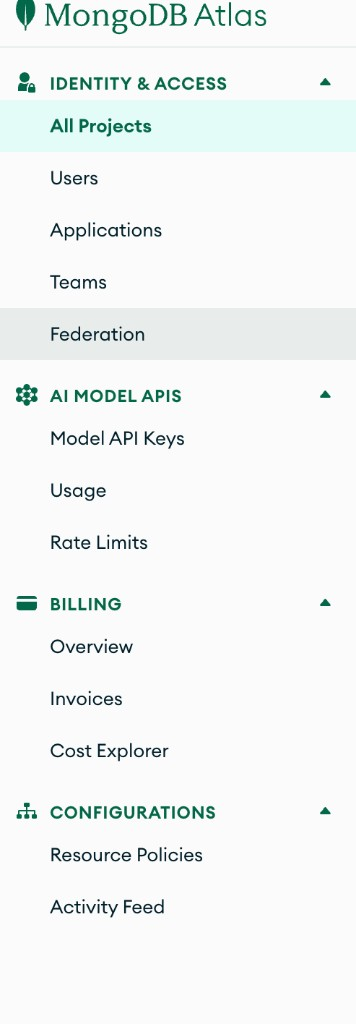
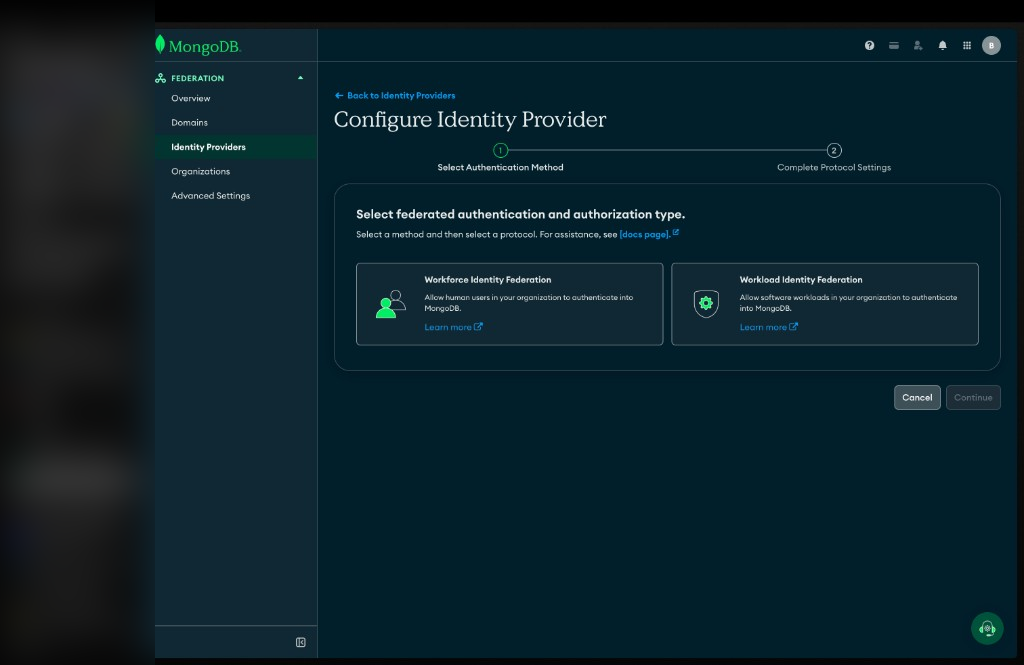
Open Federation Management → Identity Providers → configure a new IdP.
Pick Workload, not Workforce. Workforce is for humans (SSO into Atlas UI). Workload is for apps.
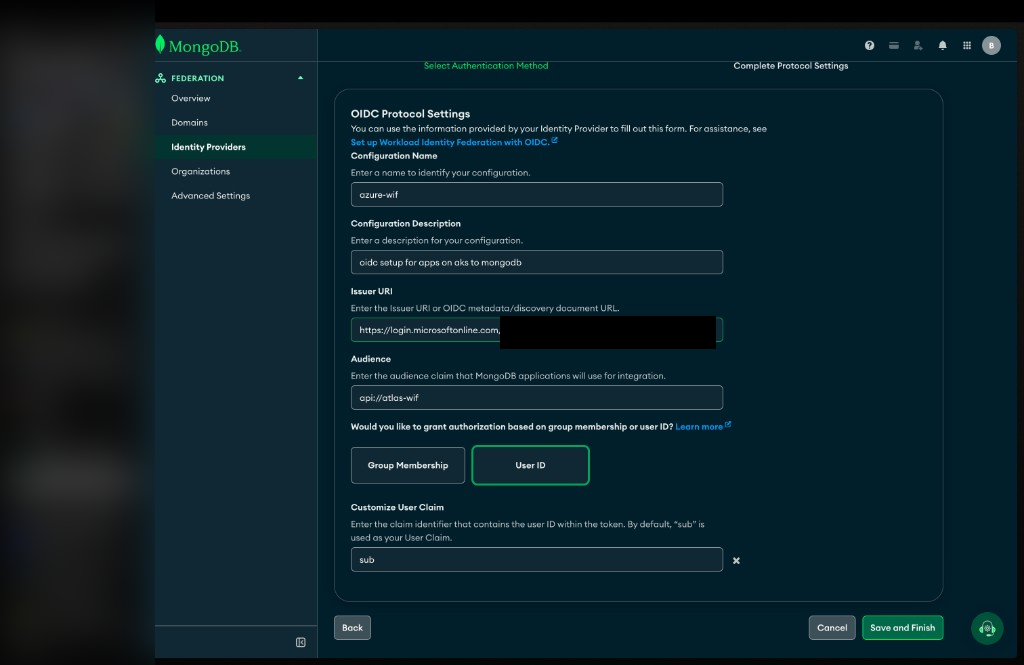
Fill OIDC protocol settings:
| Setting | Example |
|---|---|
| Configuration Name | azure-wif |
| Issuer URI | https://login.microsoftonline.com/<TENANT_ID>/v2.0 |
| Audience | Entra app client ID GUID (JWT aud), not api://atlas-wif |
| Authorization | User ID |
| User Claim | sub (default) |
If you set Atlas Audience to the Application ID URI (api://…) while Entra issues v2 tokens, Entra token exchange still returns 200 and you still get Authentication failed at Atlas finishAuthentication. Paste the GUID.
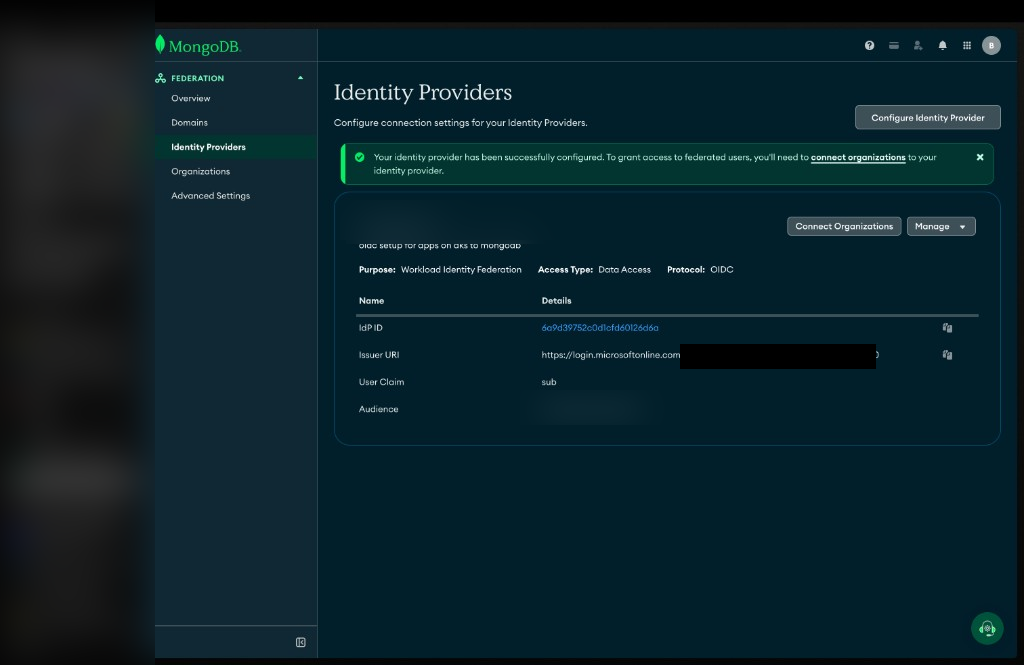
Save. You should get the success banner and the IdP card with issuer / audience / sub.
Step 4: Connect the IdP to your organization
An IdP that isn't connected to an org does nothing useful for database access. Under Federation → Organizations → your org → Connect Identity Provider, select the Workload IdP (Data Access), connect.
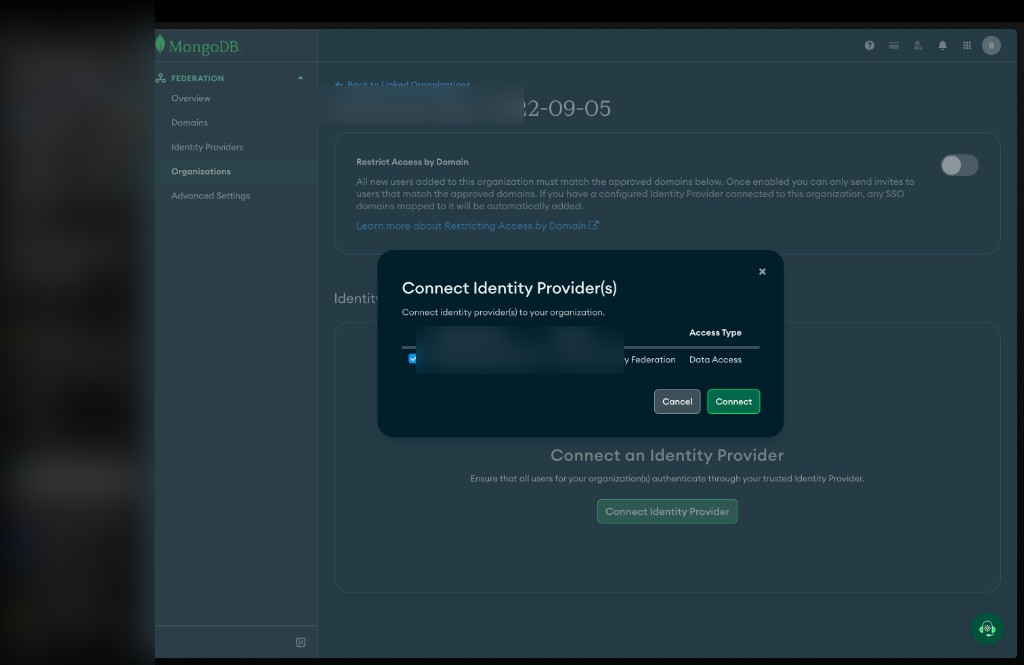
When it sticks, you get the green "successfully connected" banner. All projects in that org can use it.
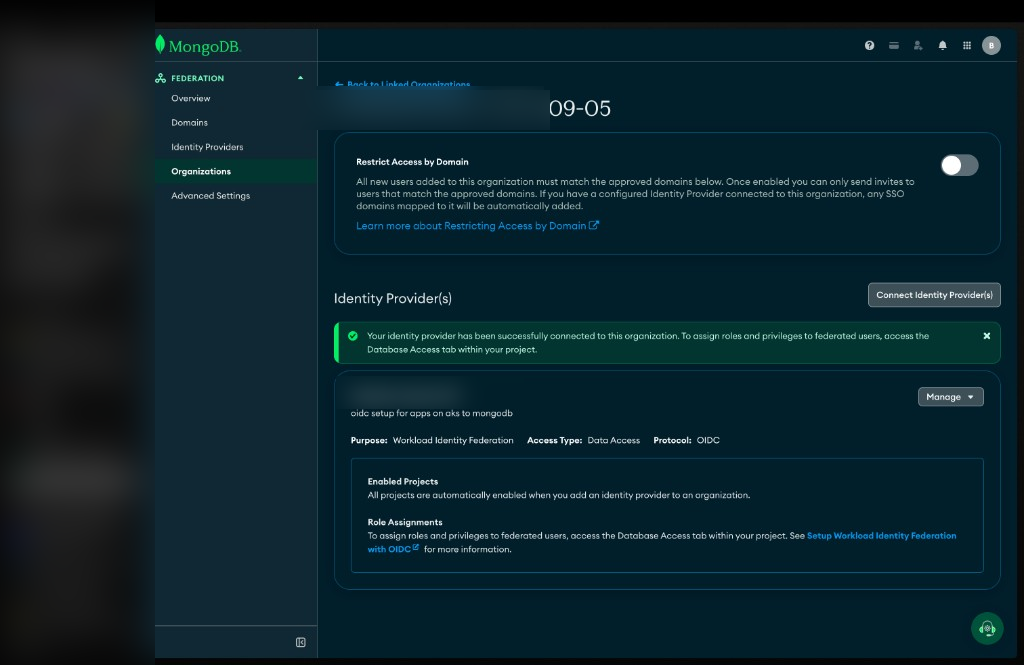
Step 5: Database user = UAMI Object ID
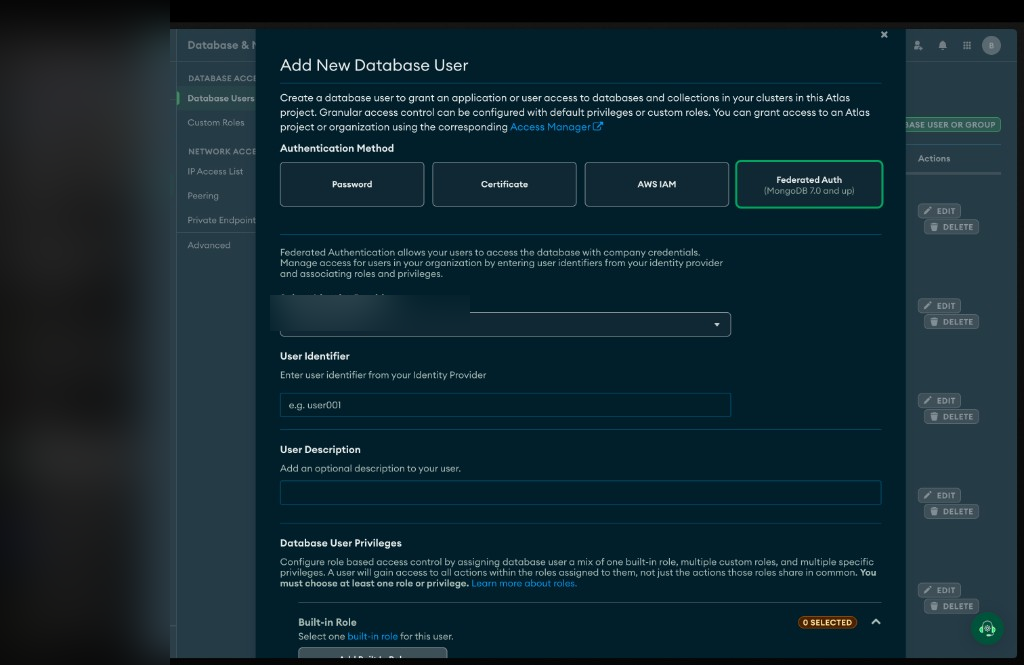
Project → Security → Database Access → Add New Database User.
- Authentication Method: Federated Auth
- Identity Provider: your
azure-wifWorkload IdP - User Identifier: UAMI Object ID (principal ID)
Not the client ID. Not the display name. Object ID.
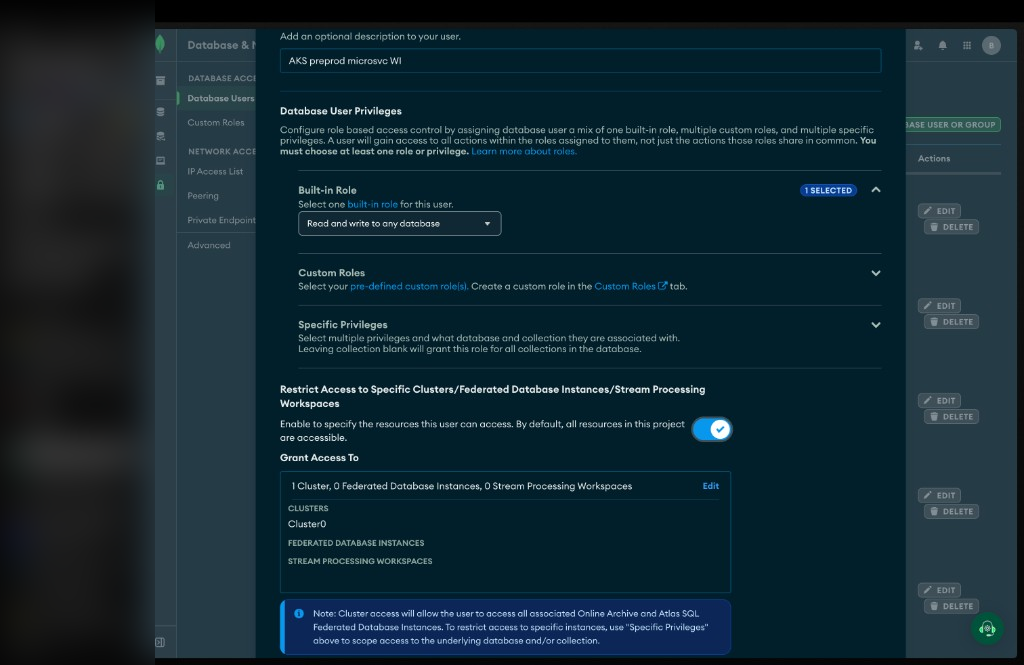
Then roles + (optionally) restrict to a specific cluster.
Assign a built-in role (or tighter custom roles), and if you want blast-radius control, turn on Restrict Access to Specific Clusters and pick the cluster.
Step 6: Kubernetes service account + pod label
Workload Identity needs both the SA annotations and the pod label. Forget the label and you will waste an afternoon.
apiVersion: v1
kind: ServiceAccount
metadata:
  name: invoicing-app
  namespace: default
  annotations:
    azure.workload.identity/client-id: "<UAMI_CLIENT_ID>"
  labels:
    azure.workload.identity/use: "true"
apiVersion: apps/v1
kind: Deployment
metadata:
  name: invoicing
spec:
  template:
    metadata:
      labels:
        app: invoicing
        azure.workload.identity/use: "true"
    spec:
      serviceAccountName: invoicing-app
      containers:
        - name: invoicing
          image: your-registry/invoicing:latest
          env:
            - name: MONGODB_URI
              value: "mongodb+srv://cluster0.example.mongodb.net/?authMechanism=MONGODB-OIDC"
            - name: ATLAS_TOKEN_RESOURCE
              value: "api://atlas-wif"
With Workload Identity wired correctly, the webhook injects things like:
AZURE_CLIENT_IDAZURE_TENANT_IDAZURE_FEDERATED_TOKEN_FILE
That last one is the projected SA token path Entra will exchange.
Step 7: App connection (MONGODB-OIDC)
The IMDS trap on AKS
The Node driver's built-in Azure path looks like this:
authMechanism=MONGODB-OIDC
authMechanismProperties=ENVIRONMENT:azure,TOKEN_RESOURCE=api://atlas-wif
That path talks to Azure IMDS. On a normal Azure VM with a managed identity attached, fine.
On AKS Workload Identity, IMDS often answers with something like Identity not found. Your UAMI lives behind the federated token file, not classic IMDS association. So don't cargo-cult the VM snippet into AKS and expect miracles.
What works: callback + Entra token for the Application ID URI
Use @azure/identity (it understands Workload Identity env vars) and request an Entra access token with scope api://atlas-wif/.default (your Application ID URI). The token’s JWT aud will be the app client ID GUID; that is what Atlas checks against IdP Audience.
import { DefaultAzureCredential } from "@azure/identity";
import { MongoClient } from "mongodb";

const tokenResource = process.env.ATLAS_TOKEN_RESOURCE; // api://atlas-wif
const clusterUrl = process.env.MONGODB_CLUSTER_URL; // cluster0.xxxxx.mongodb.net

if (!tokenResource) throw new Error("ATLAS_TOKEN_RESOURCE must be defined");
if (!clusterUrl) throw new Error("MONGODB_CLUSTER_URL must be defined");

const credential = new DefaultAzureCredential();

async function oidcCallback() {
  // TOKEN_RESOURCE = Entra Application ID URI (api://…). JWT aud will be the app client ID GUID.
  const token = await credential.getToken(`${tokenResource}/.default`);
  if (!token?.token) {
    throw new Error("failed to acquire Entra access token for Atlas");
  }
  return {
    accessToken: token.token,
    expiresInSeconds: Math.max(
      60,
      Math.floor((token.expiresOnTimestamp - Date.now()) / 1000)
    ),
  };
}

const uri = `mongodb+srv://${clusterUrl}/?authMechanism=MONGODB-OIDC`;

const client = new MongoClient(uri, {
  authMechanismProperties: {
    OIDC_CALLBACK: oidcCallback,
  },
});

await client.connect();
console.log("Connected to MongoDB with Workload Identity");
Install what you need:
yarn add mongodb @azure/identity
Driver version matters: Node / TypeScript 6.7+ for Workload Identity Federation support.
Optional: ENVIRONMENT:k8s
The driver also has ENVIRONMENT:k8s, which reads AZURE_FEDERATED_TOKEN_FILE directly. That file is the Kubernetes projected token used for Entra exchange, not necessarily an Atlas-ready access token with audience api://atlas-wif. For Atlas Workload IdP against Entra, prefer the callback that requests a token for your Application ID URI.
Gotchas (read these before you open a ticket)
- M10+ dedicated only. Free / Flex / shared do not support this auth mechanism. Upgrade first.
- Object ID ≠ Client ID. Atlas user identifier = UAMI Object ID. SA annotation / Azure Identity = Client ID.
- Two “audience” values (this one got me). With Entra
requestedAccessTokenVersion = 2:TOKEN_RESOURCE/MONGO_OIDC_AUDIENCE/getTokenscope = Entra Application ID URI (e.g.api://atlas-wif). Do not put the GUID here or Entra exchange breaks.- JWT
aud= that Entra app’s Application (client) ID GUID. - Atlas Workload IdP → Audience = that same GUID, not
api://…. - Symptom if you get this wrong: Entra returns 200, your callback has a token, Atlas still says Authentication failed at
finishAuthentication. Decode the JWT, copyaudinto Atlas Audience, retry.
- Don't use
ENVIRONMENT:azureon AKS WI unless you know IMDS can see that identity. Expect Identity not found otherwise; useOIDC_CALLBACK+ federated token /@azure/identity. - Pod label required:
azure.workload.identity/use: "true"on the pod template, not only the SA. - Workforce ≠ Workload. Wrong IdP type = wrong product surface. Apps need Workload.
- Issuer format:
https://login.microsoftonline.com/<TENANT_ID>/v2.0(drop the well-known suffix).
Conclusion
EKS was IAM role → MONGODB-AWS. AKS is UAMI + Workload Identity → Entra token → Atlas Workload IdP → MONGODB-OIDC. Same destination: no static Mongo password sitting in your cluster forever.
Till next time, Peace be on you 🤞🏽
References
- https://www.mongodb.com/docs/atlas/workload-oidc/
- https://www.mongodb.com/docs/drivers/node/current/security/authentication/oidc/
- https://learn.microsoft.com/en-us/azure/aks/workload-identity-overview
- https://blog.saintmalik.me/mongodb-passwordless-auth-eks/