Defending Your .zshrc From Rogue Agents
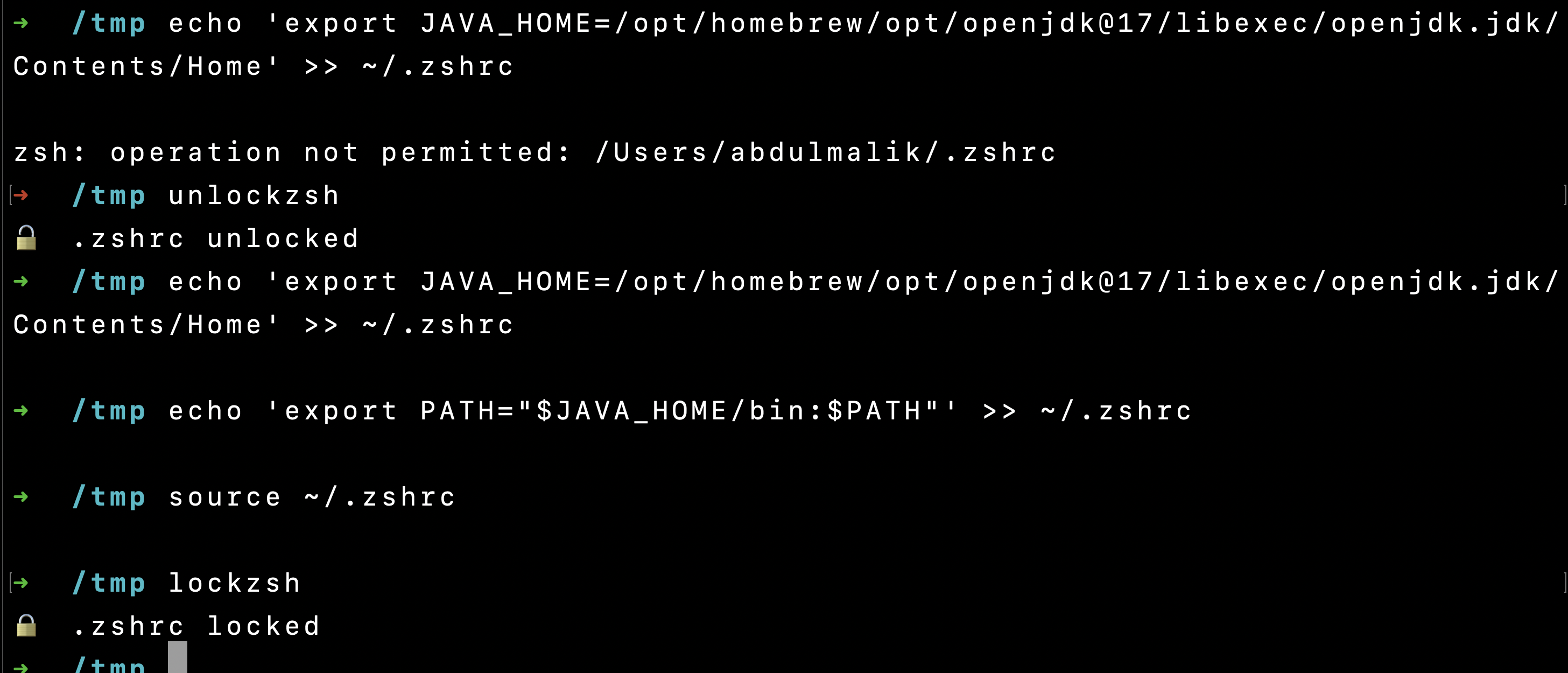
If you use AI-powered code editors or coding assistants like Antigravity, there's something you should know: they can and will silently modify your ~/.zshrc.
I learned this the hard way after my carefully curated shell configuration — AWS SSO aliases, custom prompts, tool-specific PATHs — kept getting corrupted by an AI coding tool that would append its own PATH entries every time it initialized:
# Added by Antigravity
export PATH="/Users/abdulmalik/.antigravity/antigravity/bin:$PATH"
Harmless? Maybe. But the real problem is the pattern: tools that assume they have write access to your shell config will keep re-adding lines, sometimes duplicating entries, and occasionally clobbering things during updates. My bluemalik alias — a one-liner that resets my AWS SSO session — vanished entirely during one of these silent overwrites.
The Moment You Realize
I was mid-deployment running tofu plan and got hit with:
Error: Unable to build encryption key data

key_provider.aws_kms.basic failed with error:
No valid credential sources found
My AWS profile wasn't loaded. My alias was gone. My .zshrc had been silently modified. Classic.
The Fix: chflags Immutable Lock
macOS ships with a file-level immutability flag via chflags. Once set, nothing — not even root-level processes from AI editors — can modify the file without explicitly removing the flag first.
# Lock it down — no process can modify .zshrc
sudo chflags uchg ~/.zshrc

# Unlock when YOU need to edit
sudo chflags nouchg ~/.zshrc
I wrapped these into aliases (added before the lock, obviously):
alias lockzsh="sudo chflags uchg ~/.zshrc && echo '🔒 .zshrc locked'"
alias unlockzsh="sudo chflags nouchg ~/.zshrc && echo '🔓 .zshrc unlocked'"
Now the workflow is simple:
unlockzsh→ make your changes →lockzsh- Any rogue process that tries to write to
.zshrcgets a hardOperation not permitted
The Backup: GitHub Gist
Locking prevents future damage, but it doesn't help you recover from past damage. That's where a GitHub Gist backup comes in.
I keep my .zshrc backed up as a private Gist. Whenever I make meaningful changes, I push an update. This means:
- If the file gets wiped or corrupted, I can restore it in seconds
- I have a version history of every change I've made
- It's accessible from any machine I SSH into
# Quick backup to gist (using gh CLI)
gh gist edit <your-gist-id> ~/.zshrc
Or if you don't have the gh CLI, just copy-paste into your Gist manually. The point is: have a source of truth that isn't your local filesystem.
Why AI Tools Do This
It's not malicious. These tools modify your shell config to:
- Add their binary to your
$PATH - Set up auto-completions
- Initialize environment variables they depend on
The problem is they do it without asking and without checking if the entry already exists. Some tools re-append on every launch, leading to a bloated $PATH with duplicate entries and occasionally overwriting custom configurations in the process.
The Hardened .zshrc Pattern
Here's the defensive pattern I now follow:
# === CORE CONFIG (your aliases, prompt, etc.) ===
alias smaws="unset AWS_VAULT AWS_PROFILE AWS_DEFAULT_PROFILE && aws sso logout && aws sso login --profile abdulmalik && export AWS_PROFILE=abdulmalik"
alias lockzsh="sudo chflags uchg ~/.zshrc && echo '🔒 .zshrc locked'"
alias unlockzsh="sudo chflags nouchg ~/.zshrc && echo '🔓 .zshrc unlocked'"

# ... rest of your config ...

# === TOOL-INJECTED PATHS (keep at the bottom, guarded) ===
if [[ ":$PATH:" != *":.antigravity/antigravity/bin:"* ]]; then
  export PATH="/Users/abdulmalik/.antigravity/antigravity/bin:$PATH"
fi
By guarding tool-injected paths with a conditional check, even if the lock is removed and a tool re-runs its install, you won't get duplicate entries.
TL;DR
| Problem | Solution |
|---|---|
AI editors silently modify .zshrc | chflags uchg to make it immutable |
| Need to edit it yourself | unlockzsh → edit → lockzsh |
| File gets corrupted/wiped | Restore from GitHub Gist backup |
| Duplicate PATH entries | Guard with [[ ":$PATH:" != *"..."* ]] |
Lock your dotfiles. Back them up. Don't trust any tool that treats your shell config as its personal scratchpad.